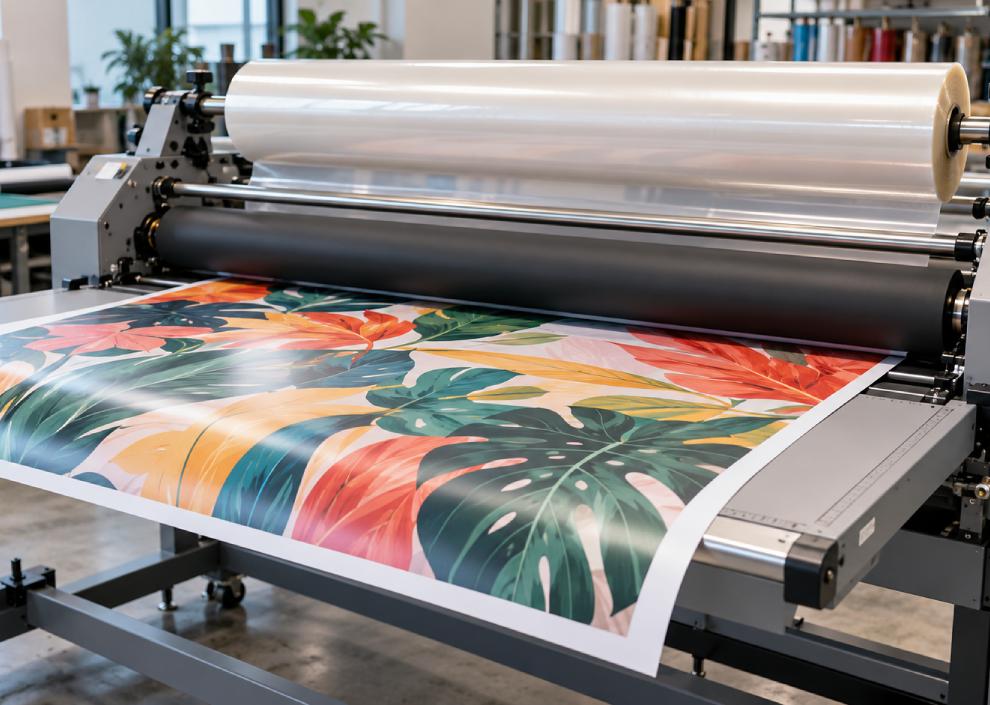
A print can look excellent coming off the printer and still need a good finishing process before it is ready for the customer. Whether you produce retail graphics, posters or vehicle decals, lamination can help achieve the appearance and protection the job requires.
But choosing a wide format laminator for your print shop in Singapore takes more than comparing machine sizes and prices. The right equipment should handle your usual materials, fit your workspace and keep production moving without making everyday jobs unnecessarily complicated.
Here is what to look at before you invest.
1. Start with the Jobs You Produce Most Often
Think about your last month of orders. Were you mainly finishing self-adhesive vinyl, photographic prints, exhibition graphics or rigid display boards?
Your regular workload is the best starting point for choosing a laminator. Write down:
- The materials and roll widths you use most frequently.
- The finishes your customers request.
- Your typical daily volume and busiest production periods.
- Any mounting or specialist finishing work you want to bring in-house.
For example, a shop handling occasional posters has different needs from a signage business laminating full rolls every day. Build your shortlist around those practical differences.
You can explore USC Solutions’ wide format laminators to compare equipment suited to different finishing requirements.
2. Match the Working Width to Your Print Output
Working width determines how wide a print the laminator can accept. Check the actual media and film widths you use, including the clearance needed for loading and alignment.
If you regularly print on 1,600 mm media, a machine with a 1,650 mm working width is worth considering. However, confirm the usable width and handling requirements during a demonstration.
The KALA Mistral 1650 offers a 1,650 mm working width. For businesses producing wider graphics, the KALA Mistral 2100 provides a 2,100 mm working width and is designed to complement two-metre printers.
Consider upcoming work too. A wider machine may make sense if larger graphics are already part of your expansion plans, but measure the space it will need before committing.
3. Understand Cold Lamination and Heat Assist
The film you intend to use should guide your choice of laminating process.
Cold lamination uses pressure-sensitive adhesive films. Thermal lamination uses heat to activate a compatible adhesive. A heat-assisted laminator adds controlled warmth to the process; it should not automatically be treated as a replacement for equipment designed for thermal films. Always match the machine’s temperature range to the film manufacturer’s requirements.
For example, the KALA Mistral 1650 has a heated top roller operating up to 60°C. That gives operators an additional adjustment when working with suitable materials.
During your demonstration, ask the supplier to run the films you expect to use. Seeing the finished result is more useful than choosing equipment simply because it offers a higher temperature.
4. Check Compatibility with Your Prints and Films
A laminator, printed material and overlaminate need to work together. Bring samples from your own production when comparing machines, especially if you regularly handle textured surfaces or UV prints.
The KALA Arkane 1650 is positioned for more demanding applications, including UV-printed and textured materials, with a high-pressure roller system. It is an option to discuss when those jobs form a significant part of your workload.
Check the finished sample across its full width and inspect areas with dark colours, fine detail and heavy ink coverage. Ask the supplier to explain which settings produced the result and whether your operators can repeat them easily.
When selecting print and graphics media, discuss the intended finishing process at the same time. This helps you assess the complete material combination before accepting a customer order.
5. Look Beyond the Maximum Speed
Maximum running speed is useful, but it does not tell you how long a complete job will take.
Ask to see the full process: loading the print, fitting the film, aligning the materials, running the job and changing to the next roll. For shops handling many small orders, these preparation steps deserve as much attention as the speed specification.
Useful features to compare include:
- Accessible controls and straightforward threading.
- Convenient roll loading and film changes.
- Roll-to-roll feeding and take-up.
- Adjustable speed for different jobs.
- Clear visibility of the material entering the rollers.
If frequent film changes are part of your day, ask about dual-feeding configurations. KALA describes its Mistral 1650 Dual Feeding model as an option for larger production volumes or frequent media changes, with material kept ready on the machine for quicker loading.
6. Measure the Working Area, Not Just the Machine
For a print shop in Singapore, make the layout check part of your buying process.
A laminator needs room for operators, incoming rolls, finished output and access during maintenance. If you plan to handle boards, allow enough space to support them on both sides.
Before ordering, check:
- Delivery access, doorways and lift dimensions.
- The machine’s footprint and required operating clearance.
- Roll storage and loading space.
- Power requirements.
- How finished work will move to cutting, packing or dispatch.
Sketch the production route on your floor plan. This makes it easier to see whether the new machine will fit naturally into your existing workflow.
7. Include Training and Support in the Decision
A useful demonstration should leave you understanding how the machine will work in your shop. Ask your supplier about installation, operator training, routine cleaning, maintenance and service arrangements.
Have your own operator try loading and running a sample job. That is a practical way to assess the controls and identify where training will be needed.
USC Solutions offers laminator selection guidance, installation support and technical assistance. Discuss these services alongside the equipment specification so you know what is included in your quotation.
For a broader purchasing checklist, read our guide to choosing a printing equipment supplier in Singapore.
Find the Right Laminator for Your Print Shop
The best wide format laminator for your business is one that suits the work you actually produce. Start with your media width and finishing requirements, then compare sample quality, handling, workspace needs and support.
At USC Solutions, we help businesses assess laminators for signage, posters, photographs and large format graphics. Share your typical materials, production volumes and finishing goals so we can help you shortlist suitable options.
Contact USC Solutions to discuss your requirements and arrange a laminator demonstration.
Frequently Asked Questions
What size wide format laminator do I need?
Choose a working width that accommodates your widest regular media, with suitable clearance for handling. A 1,650 mm model is worth assessing for 1,600 mm media, while wider output may require a 2,100 mm machine.
Should I test my own prints before buying?
Yes. Bring your usual prints and laminating films to the demonstration. Check the finished quality and ask your operator to try the loading and setup process.
What should I ask for in a laminator quotation?
Request the machine configuration, included accessories, delivery and installation costs, training arrangements, warranty terms and available service support. This makes quotations easier to compare.